
The challenge
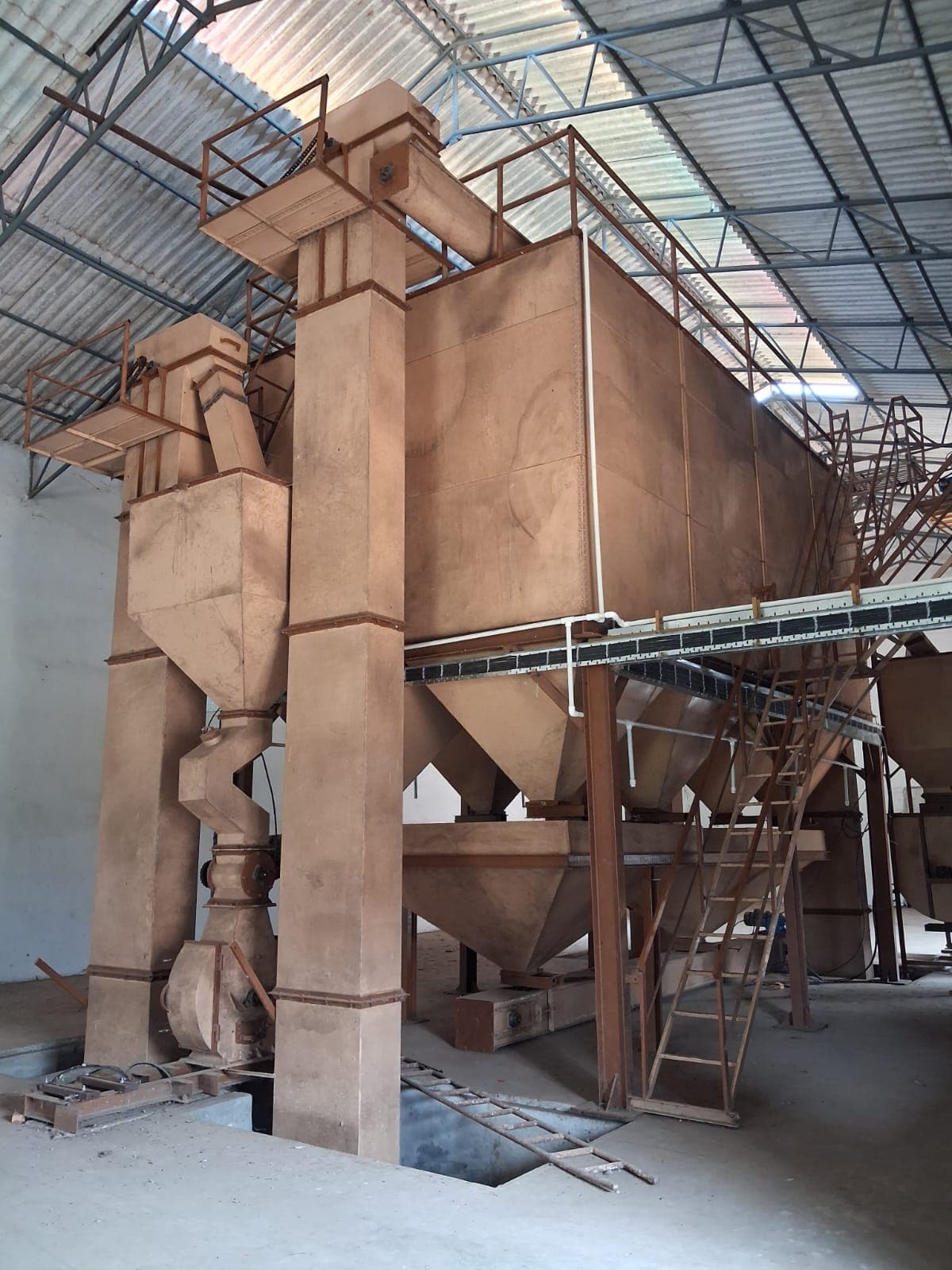
The feed mill doses up to eight ingredient bins into two weigh hoppers that share one weighing indicator, so the scale only ever sees the total weight. If dosing gates open together, the scale cannot tell one ingredient from another and the recipe ratios drift. The plant needed accurate recipes, discharge that does not overload the mixer, mixing and unloading in its own order, and a clear end to every batch, all run from one touch screen.
How we approached it
Requirements and sequence agreed with the plant first: gate order, pulse times, mixing and unloading times, and how the operator works the screens
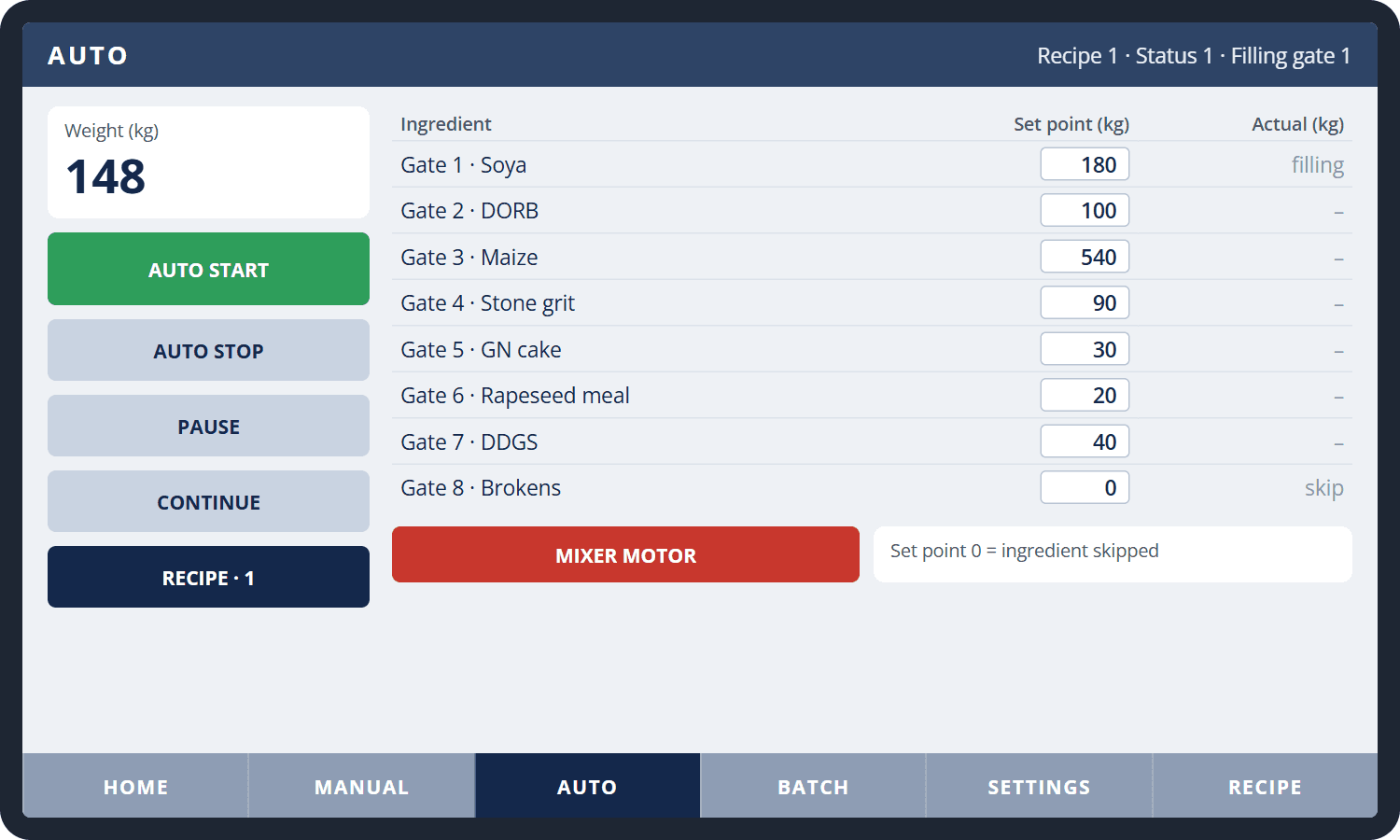
Dosing designed as a step sequence: gates 1 to 8 open one at a time, and each closes when the weight has risen by its own set point; an ingredient set to zero is skipped
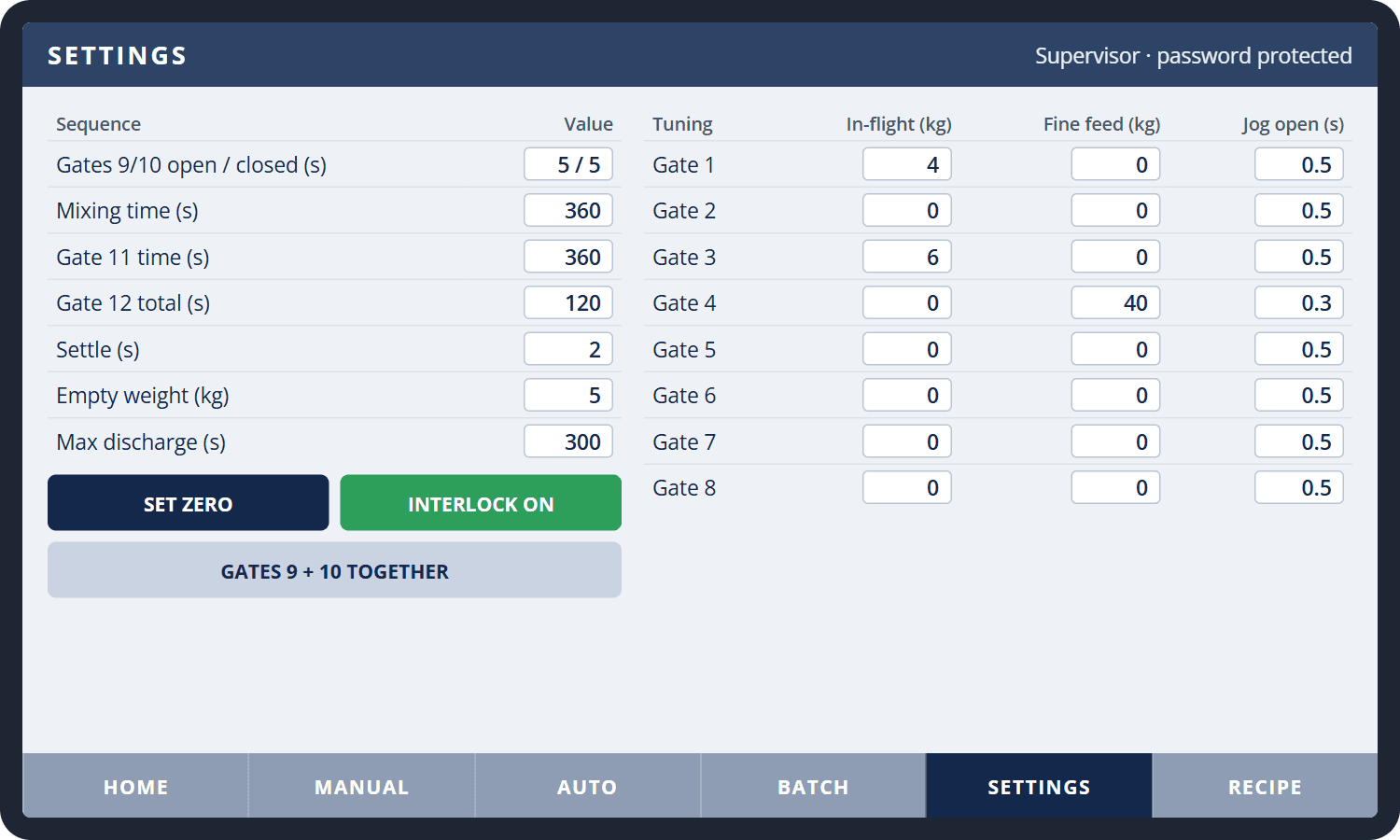
Per-gate tuning: in-flight correction closes a gate early for the material still falling, and fine feed finishes small, fast-flowing doses in short jogs; the scale settles before each actual weight is recorded
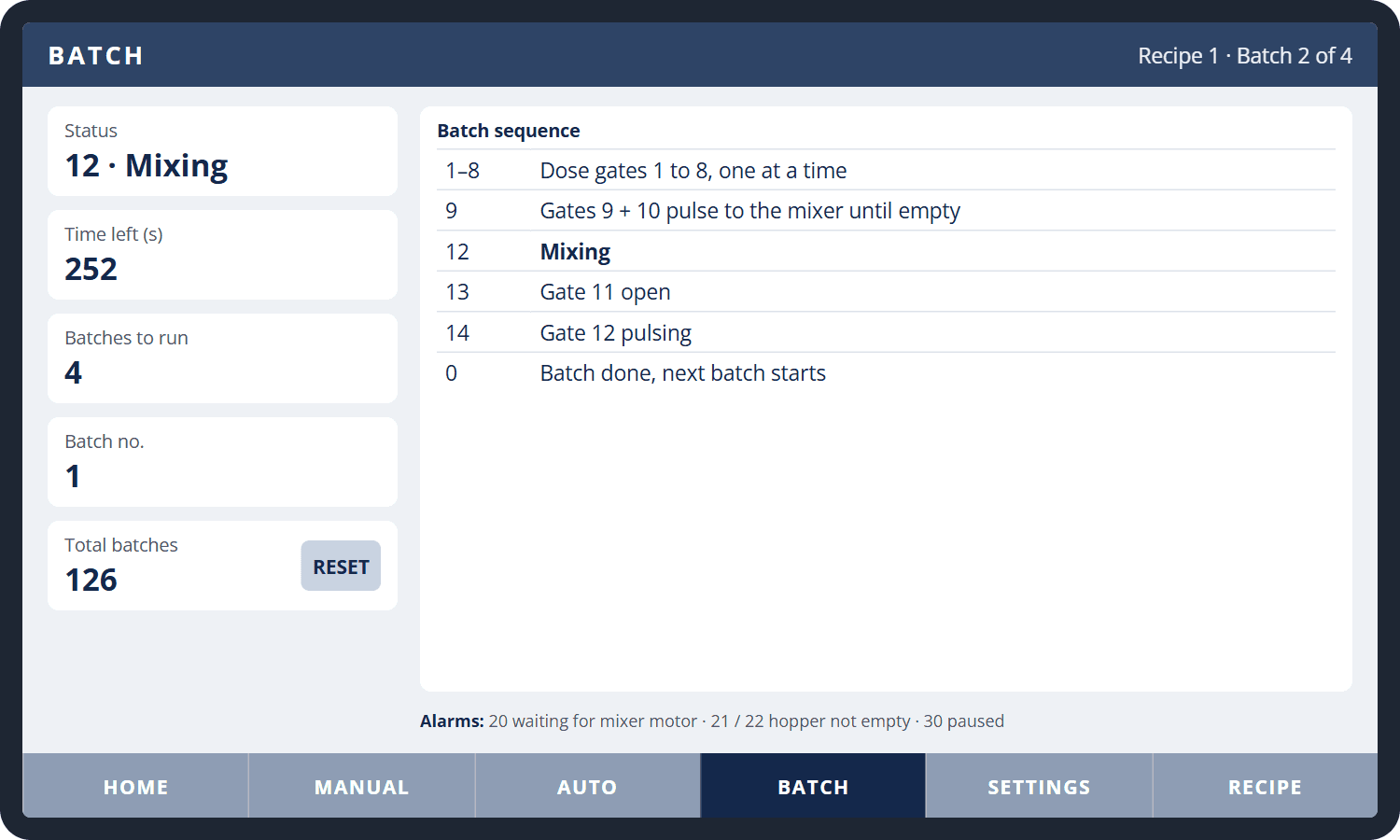
Discharge starts only after the last ingredient is weighed and only while the mixer motor runs: the hopper gates pulse together, or one hopper after the other, until both read empty, with an alarm if a hopper does not empty in time
Mixing and unloading timed from discharge in the order the plant specified, then the next batch starts until the number of batches set on screen is reached
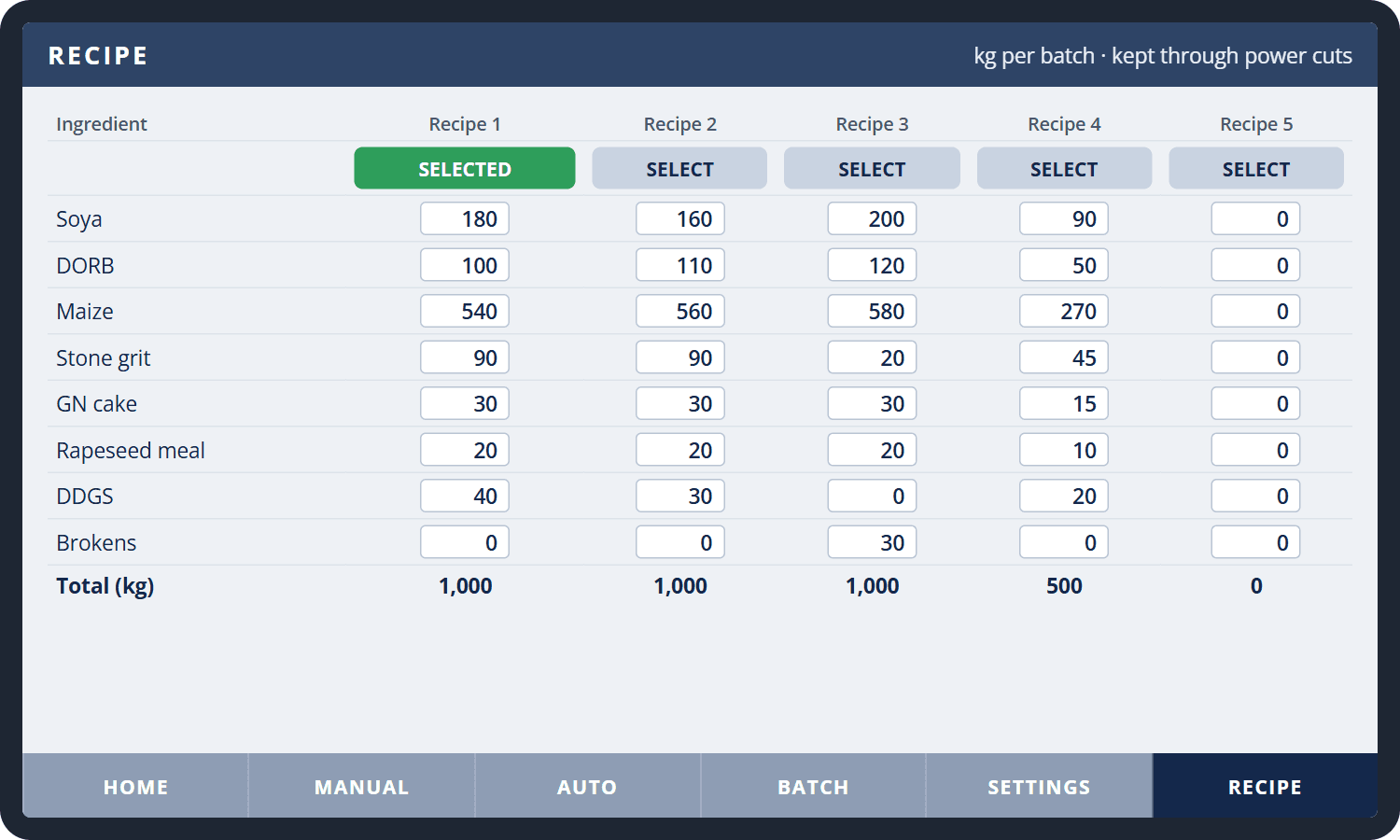
Five recipes stored in the panel: selecting one loads all eight set points, and the screen flags when a set point no longer matches the selected recipe
Pause and resume, and a continue button to move on when a little material is stuck, so a batch does not have to be abandoned
Supervisor settings behind a password: sequence times, empty weight, scale zero and tuning; set points, recipes and the lifetime batch count are kept through power cuts
Delivered with a screen guide and a step-by-step test procedure, with commissioning support for the plant team
The operator screens
Recreated with sample values. Ingredient names and recipes are illustrative.
The outcome
Each ingredient is weighed on its own, so the batch follows the recipe instead of whichever gate empties fastest
In a 1,000 kg, three-ingredient batch on site, every ingredient came within 2 kg of its set weight
One start runs as many complete batches as the operator sets: dose, discharge, mix and unload, with the batch number and a lifetime batch count on screen
Changing feed is a recipe selection rather than eight set points typed in by hand
Stuck material, a hopper that will not empty or a pause is handled on screen; stopping or switching to manual closes every gate and cancels the batch cleanly
Applications
Feed BatchingRecipe ManagementWeighing & DosingPLC & HMI ProgrammingMixer Sequencing