
01
Vision Edge
Configure camera detection for people, vehicles, marked-area entry and selected PPE conditions, such as helmets and vests. Set the monitored zones and conditions around the actual equipment surroundings.
Explore Vision EdgeSOLUTION CATEGORY
Build a connected view of people, vehicles and equipment surroundings. SentinelAI combines configurable camera detection, access, alerts and event review around your site's operating procedures.
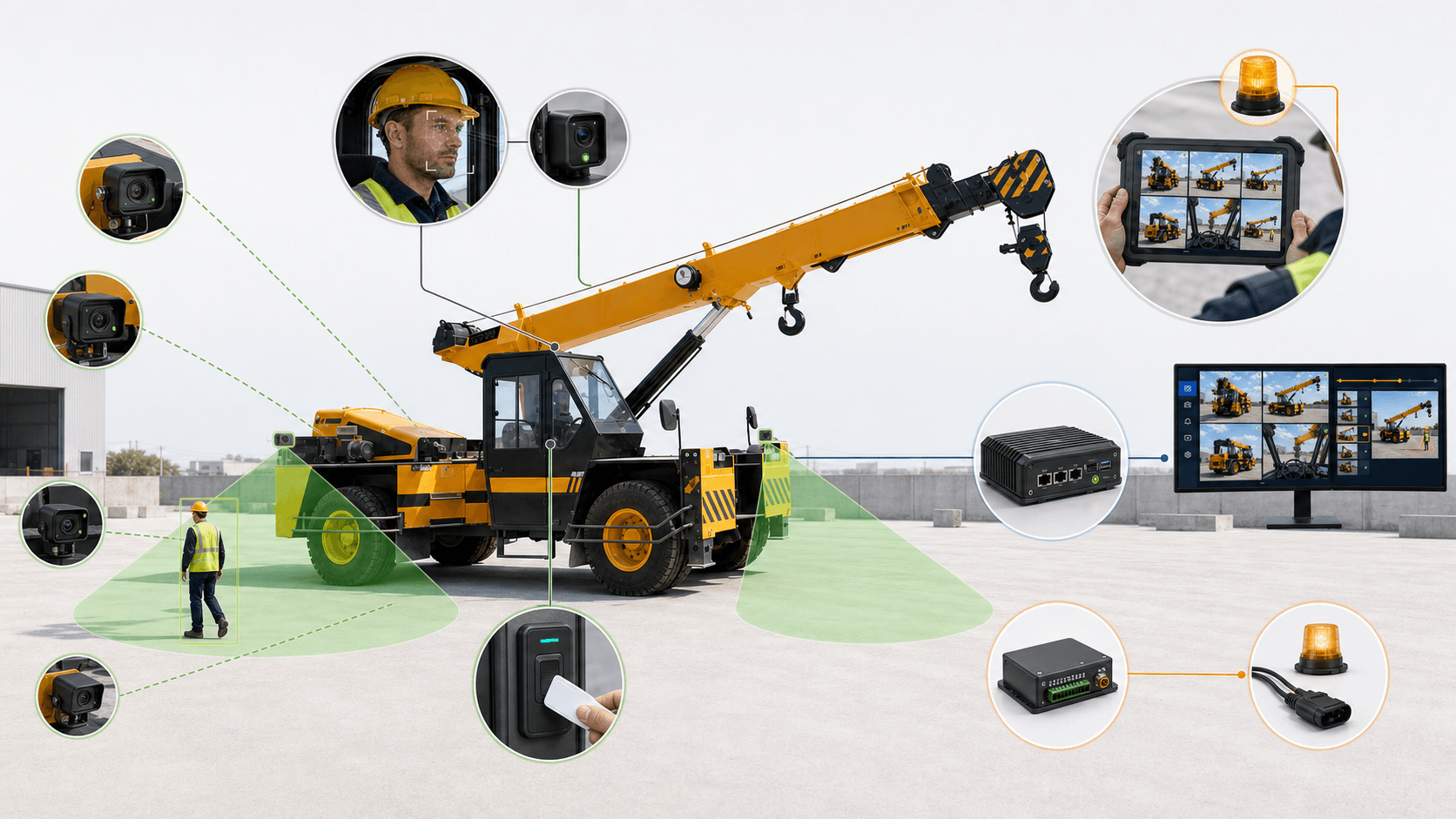
Start with the cameras and functions needed in one operating area, then add coverage and connections as requirements develop. The six modules below can be combined into the agreed site workflow.
01
Configure camera detection for people, vehicles, marked-area entry and selected PPE conditions, such as helmets and vests. Set the monitored zones and conditions around the actual equipment surroundings.
Explore Vision Edge02
An in-cabin camera monitors the configured signs of drowsiness or distraction and warns the driver locally. Position and settings are agreed for the vehicle and operating environment.
Explore Driver Guard03
Turn configured detections into local buzzer or beacon warnings and notifications for the responsible person. Keep a record of the event and the chosen escalation workflow.
Explore Alert & Escalate04
Use fingerprint or RFID access to restrict machine start or entry to controlled areas. Log both permitted and refused attempts for review.
Explore Access05
Bring live views, current alerts, saved event clips, equipment status and reports into a shared control-room view.
Explore Command Center06
Where the machine maker permits it, pass a configured detection to an agreed machine input. This is an optional equipment interface, not a certified safety-rated stop.
Explore Control InterfaceHow it works
STEP 01
Vision Edge and Driver Guard capture the configured conditions.
STEP 02
The on-site AI node processes the selected camera channels.
STEP 03
Route a local warning, notification or separately approved equipment signal.
STEP 04
Use Command Center to review events, views and system health.
Define camera views, vehicle and pedestrian routes, PPE rules, access permissions and the people who receive alerts. Agree recording retention, authorised access and the required network connections. Final node capacity and configuration are confirmed against the selected channels and functions.
Discuss your application